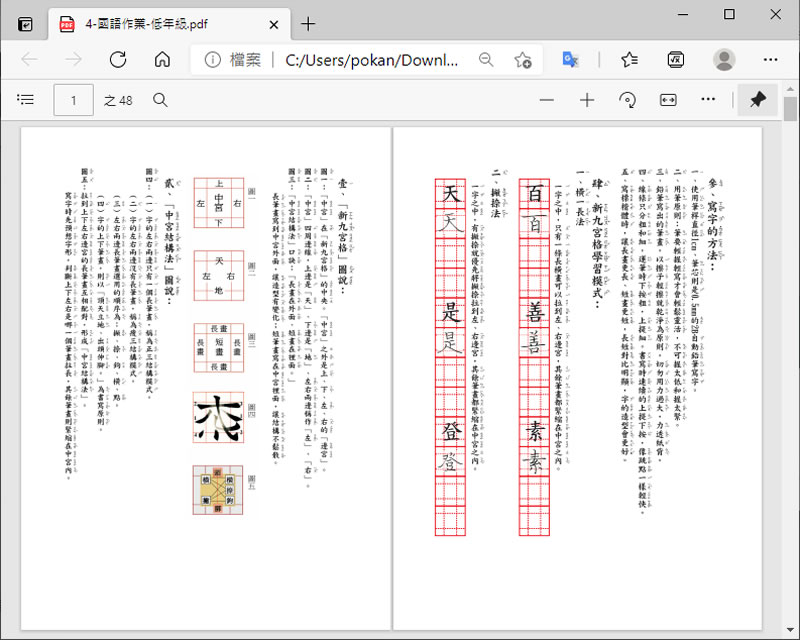
<p class="coverphoto" style="box-sizing: border-box; font-family: 微軟正黑體, verdana, arial, sans-serif; display: flex; justify-content: center; padding-top: 12px; color: rgb(0, 0, 0); font-size: medium; font-style: normal; font-variant-ligatures: normal; font-variant-caps: normal; font-weight: 400; letter-spacing: normal; orphans: 2; text-align: start; text-indent: 0px; text-transform: none; white-space: normal; widows: 2; word-spacing: 0px; -webkit-text-stroke-width: 0px; text-decoration-thickness: initial; text-decoration-style: initial; text-decoration-color: initial;"><img alt="國民中小學學生簿本(國語作業簿及作文簿)免費下載" height="641" src="https://key.chtouch.com/ReadImage.ashx?OBlogPhotoItems=18360" style="box-sizing: border-box; font-family: 微軟正黑體, verdana, arial, sans-serif; max-width: 100%; height: auto;" title="" width="800"></p> <p class="ContentsPreview multi_ellipsis" style="box-sizing: border-box; font-family: 微軟正黑體, verdana, arial, sans-serif; font-size: 17px; line-height: 30px; letter-spacing: 1.5px; text-align: left; padding-top: 18px; overflow: hidden; display: -webkit-box; -webkit-box-orient: vertical; -webkit-line-clamp: 5; color: rgb(0, 0, 0); font-style: normal; font-variant-ligatures: normal; font-variant-caps: normal; font-weight: 400; orphans: 2; text-indent: 0px; text-transform: none; white-space: normal; widows: 2; word-spacing: 0px; -webkit-text-stroke-width: 0px; text-decoration-thickness: initial; text-decoration-style: initial; text-decoration-color: initial;">國小要使用的國語作業簿及作文簿,雖然在開學時,學校都會替學生準備,但如果需要練習或是想要提早使用,就需要到書局購買這種有格子,格子旁邊還有注音符號欄的國民中小學學生簿本,內頁除了格子頁外,前頭像有使用方式,教導家長及學生,如何正確的來使用,而這些,家長現在就可以自己印,雖然不會比較便宜,但用多少印多少,總比,買了一堆只用了幾頁而浪費來的好。<br style="box-sizing: border-box; font-family: 微軟正黑體, verdana, arial, sans-serif;"> 相關應用,還可以參閱:</p> <ul style="box-sizing: border-box; font-family: 微軟正黑體, verdana, arial, sans-serif; line-height: 30.6px; letter-spacing: 1.4px; overflow-wrap: break-word; font-size: 17px; color: rgb(0, 0, 0); font-style: normal; font-variant-ligatures: normal; font-variant-caps: normal; font-weight: 400; orphans: 2; text-align: start; text-indent: 0px; text-transform: none; white-space: normal; widows: 2; word-spacing: 0px; -webkit-text-stroke-width: 0px; text-decoration-thickness: initial; text-decoration-style: initial; text-decoration-color: initial;"> <li style="box-sizing: border-box; font-family: 微軟正黑體, verdana, arial, sans-serif;"><a href="https://key.chtouch.com/cv.aspx?p=3178" style="box-sizing: border-box; font-family: 微軟正黑體, verdana, arial, sans-serif; text-decoration: none;">如何利用 Chrome 瀏覽器的「列印」功能刪除 PDF 不要的頁面?</a></li> </ul> <p style="box-sizing: border-box; font-family: 微軟正黑體, verdana, arial, sans-serif; color: rgb(0, 0, 0); font-size: medium; font-style: normal; font-variant-ligatures: normal; font-variant-caps: normal; font-weight: 400; letter-spacing: normal; orphans: 2; text-align: start; text-indent: 0px; text-transform: none; white-space: normal; widows: 2; word-spacing: 0px; -webkit-text-stroke-width: 0px; text-decoration-thickness: initial; text-decoration-style: initial; text-decoration-color: initial;"> </p> <p class="continueRead" style="box-sizing: border-box; font-family: 微軟正黑體, verdana, arial, sans-serif; display: flex; justify-content: flex-end; color: rgb(0, 0, 0); font-size: medium; font-style: normal; font-variant-ligatures: normal; font-variant-caps: normal; font-weight: 400; letter-spacing: normal; orphans: 2; text-align: start; text-indent: 0px; text-transform: none; white-space: normal; widows: 2; word-spacing: 0px; -webkit-text-stroke-width: 0px; text-decoration-thickness: initial; text-decoration-style: initial; text-decoration-color: initial;"><a href="https://key.chtouch.com/cv.aspx?p=3036" style="box-sizing: border-box; font-family: 微軟正黑體, verdana, arial, sans-serif; text-decoration: none; color: black; font-weight: 600; padding: 16px 12px; font-size: 21px;">繼續閱讀»»»</a></p>